How do you change the repeat bracket number above the measure? (Alternate Endings)

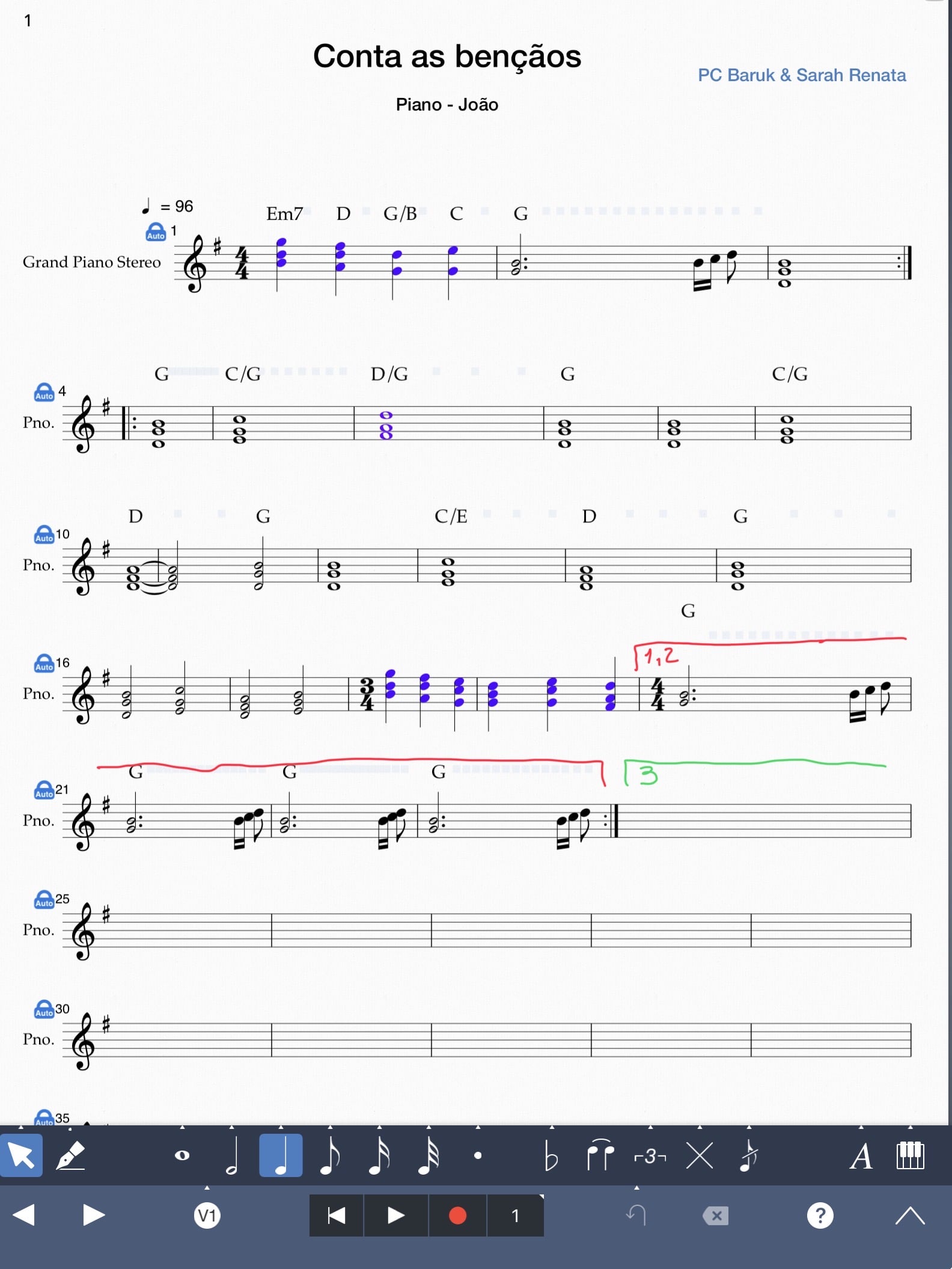
I want to repeat a section three times, starting at measure 4 and ending at measure 23. However, on the third repetition, I want to jump from measure 19 to measure 24. I know this is possible using repeat endings (the horizontal line with a number above the measure). Yet, the app doesn't let me change this number beyond the standard presets like 1 and 2. This is really frustrating for more complex musical pieces.
0
Answers
-
@SrJox
We replied to you earlier via email, and are glad that the following suggestions were helpful. We would like to include our response again so that it's available on our forum for future reference.
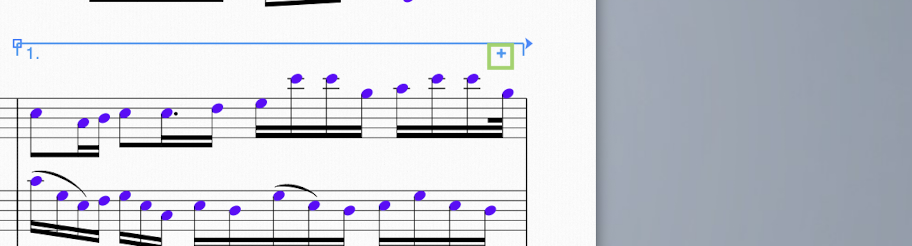
To change the repeat bracket number below a multiple repeat, we first recommend adding a first ending, as shown: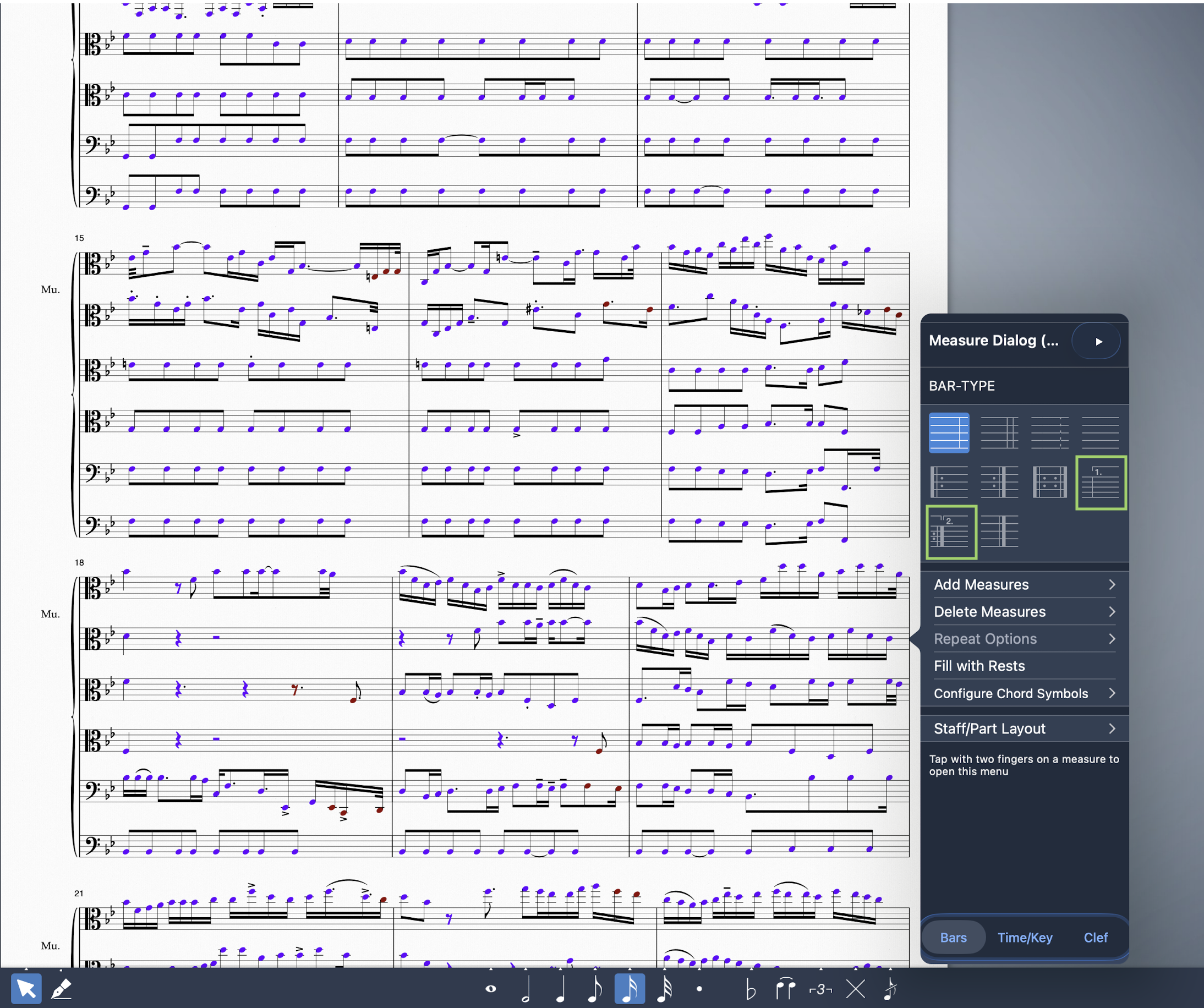 - Next, for the second step, if you highight the first ending, you will find a plus sign below the bracket, as shown. The new brackets will start from 2, and by highlighting the third and next brackets in the same way as this second step, you can add the third alternate ending and so forth:
 0
0

