Annotation cannot be deleted!

Hi, I’m using version 6.7 on iPad. Annotations can be circled by using Apple Pencil. The ‘delete’ shows, after touch the ‘delete’, the annotation still remains.
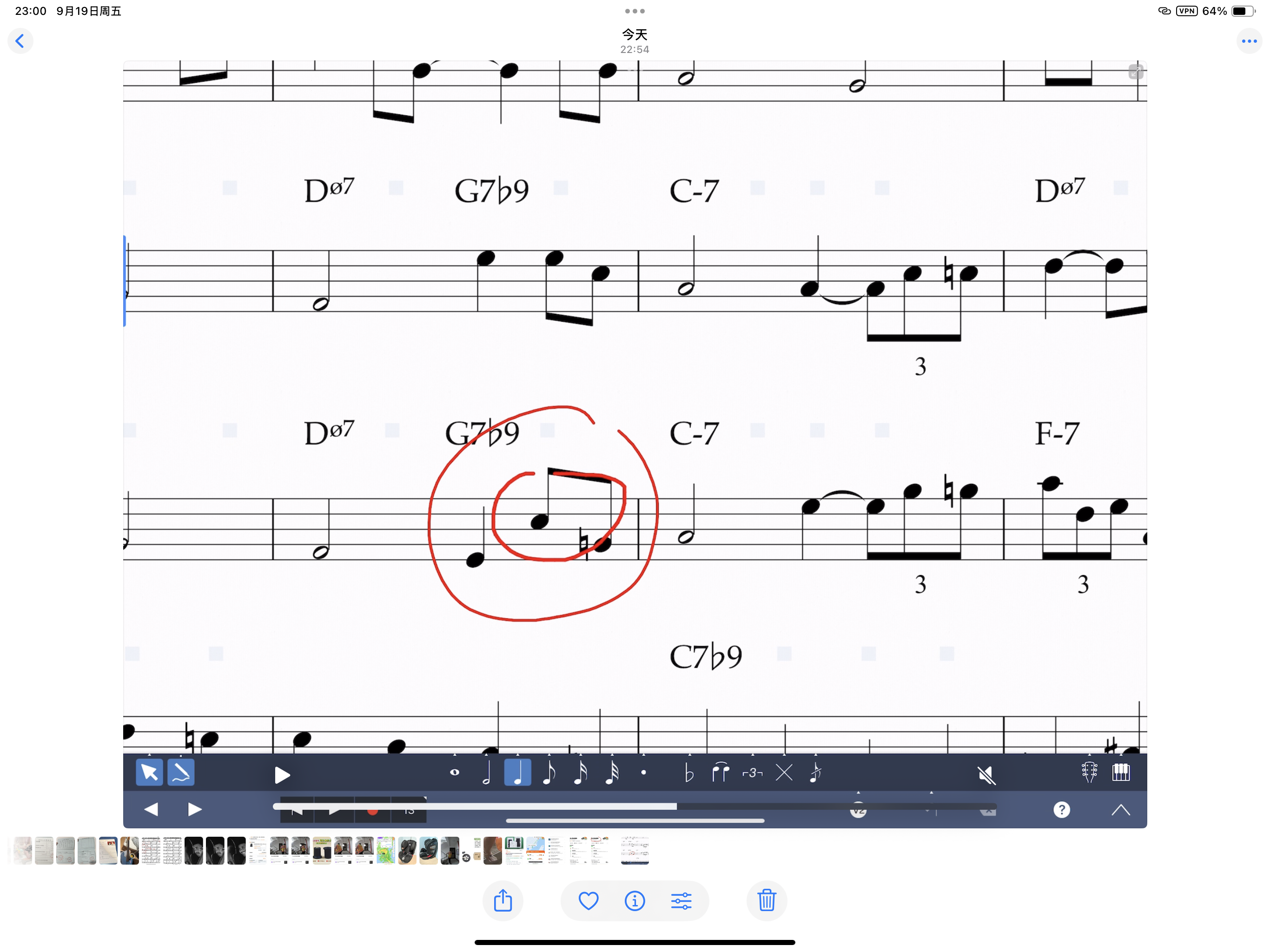
 Dear support-team, could someone help me, please? Thank you!
Dear support-team, could someone help me, please? Thank you! 0
Best Answer
-
@quemoy2017
Sorry about the issue. We're fixing this issue right away, for the next update. Unfortunately, for the current version (6.7), the only way to erase annotations is to erase all of them. To do so, long-press the Annotations icon from the Notes Toolbar, then tap the "Erase All Annotations" menu item.0

Answers
-
Thanks! That works. I will update when the next version releases.Support said:@quemoy2017
Sorry about the issue. We're fixing this issue right away, for the next update. Unfortunately, for the current version (6.7), the only way to erase annotations is to erase all of them. To do so, long-press the Annotations icon from the Notes Toolbar, then tap the "Erase All Annotations" menu item.0